
Game stats for Godot

TL;DR
The Talo Godot plugin provides customisable stat tracking out of the box.
Track per-player stats, aggregate them as global stats and view metrics in-game or inside the Talo dashboard.
Learn more in the blog post:
Install the plugin
Get the Talo Godot plugin from the Godot Asset Library, GitHub releases or itch.io. Then follow the installation guide to add it into your project.
Track player stats
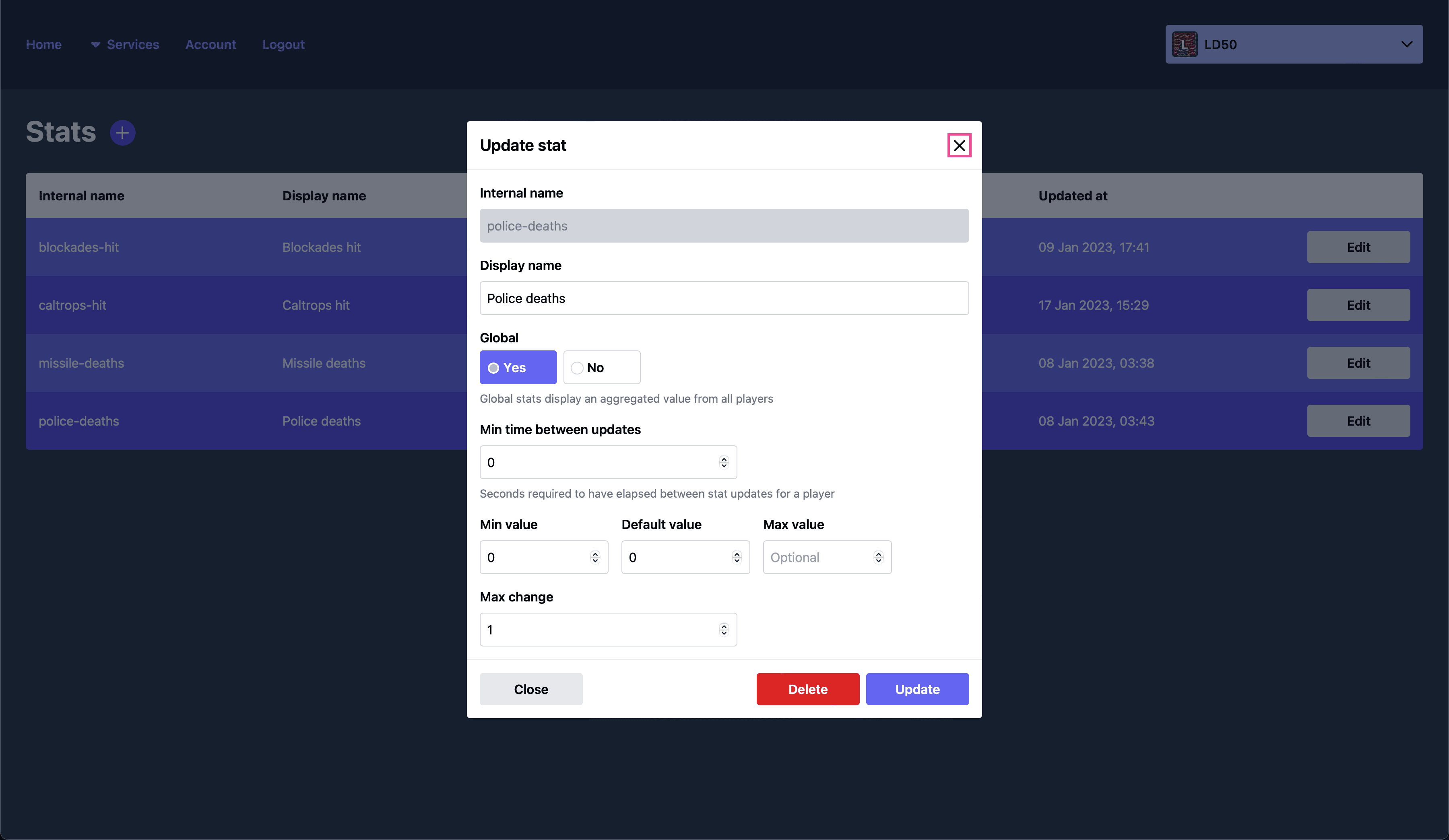
With Talo, you can track game stats on a per-player basis. For example, the number of secrets discovered by a player or the amount of puzzles they've solved. Talo lets you easily create and increment these kinds of stats with just one line of code:
await Talo.stats.track("puzzles-completed")Game stats give you control over their limits - minimum and maximum values, defaults and how often the stat can be updated - all managed from the Talo dashboard.
Track global stats
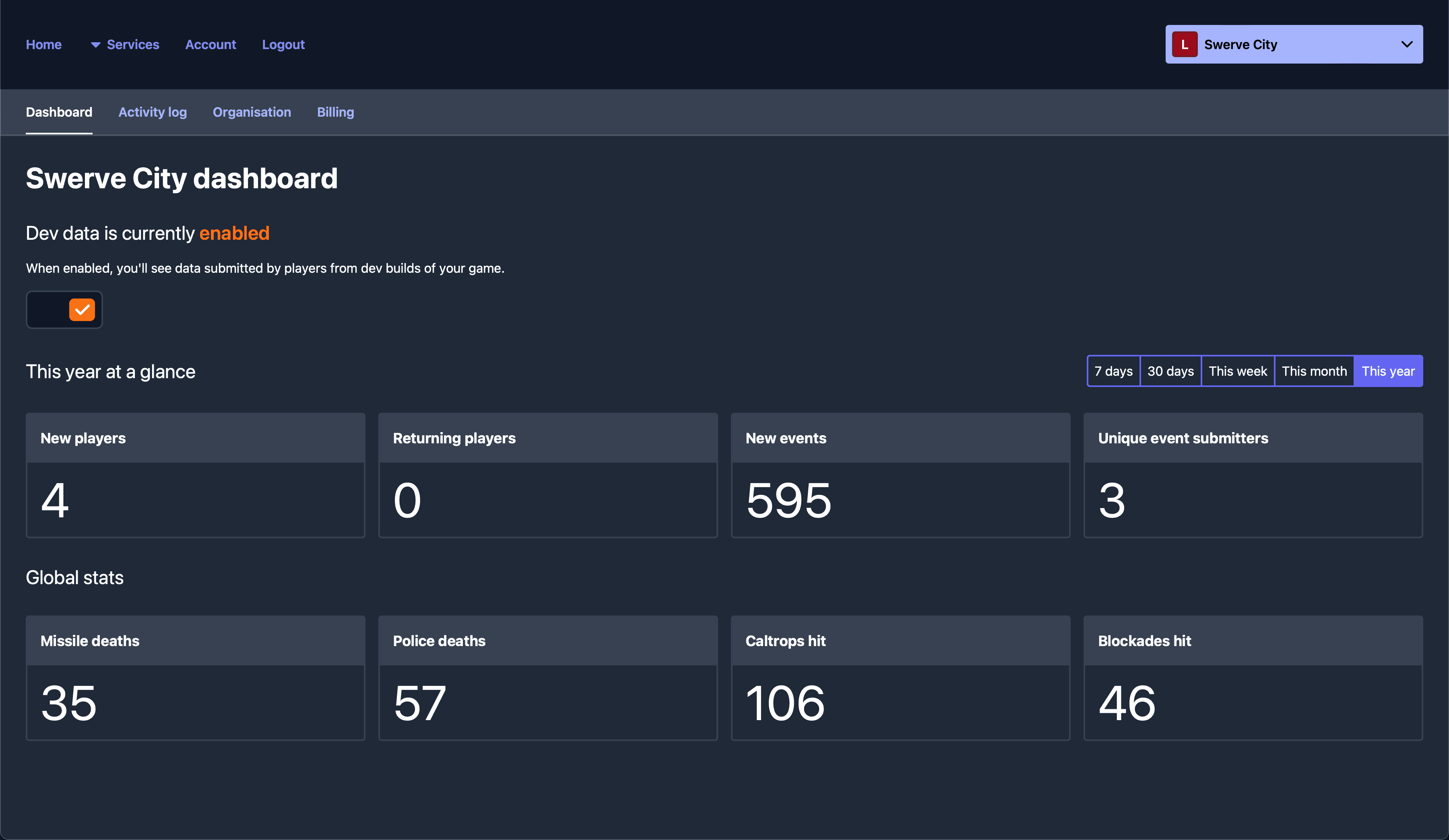
To see an aggregated view of a game stat, mark it as global. When a player updates their stat, it also changes the global stat by the same amount. Talo displays these global stats - such as the total amount of quests completed or how many secrets were discovered by your entire playerbase - directly in the dashboard.
Player-by-player and global stat snapshots
Talo keeps a history of changes to individual player stats and global stats. Each stat update creates a snapshot showing the amount changed, the current value and the current global value.
You can also display these stat metrics in-game to your players, simply by fetching and filtering the historic data:
var res := await Talo.stats.get_global_history("gold-collected")
var total_updates := res.count
var global_metrics := res.global_value
var player_metrics := res.player_value

var global_average := global_metrics.average_value
var player_average := player_metrics.average_value

var median_value := global_metrics.median_value
var average_change := global_metrics.average_change
Update stats from the dashboard
Talo's dashboard makes it simple to view, manage and update your game stats. Update an individual player's stats directly from their profile in the dashboard.
You can also reset stat values globally too, for example after a new patch or when you're ready to launch your game.
Sync with Steamworks
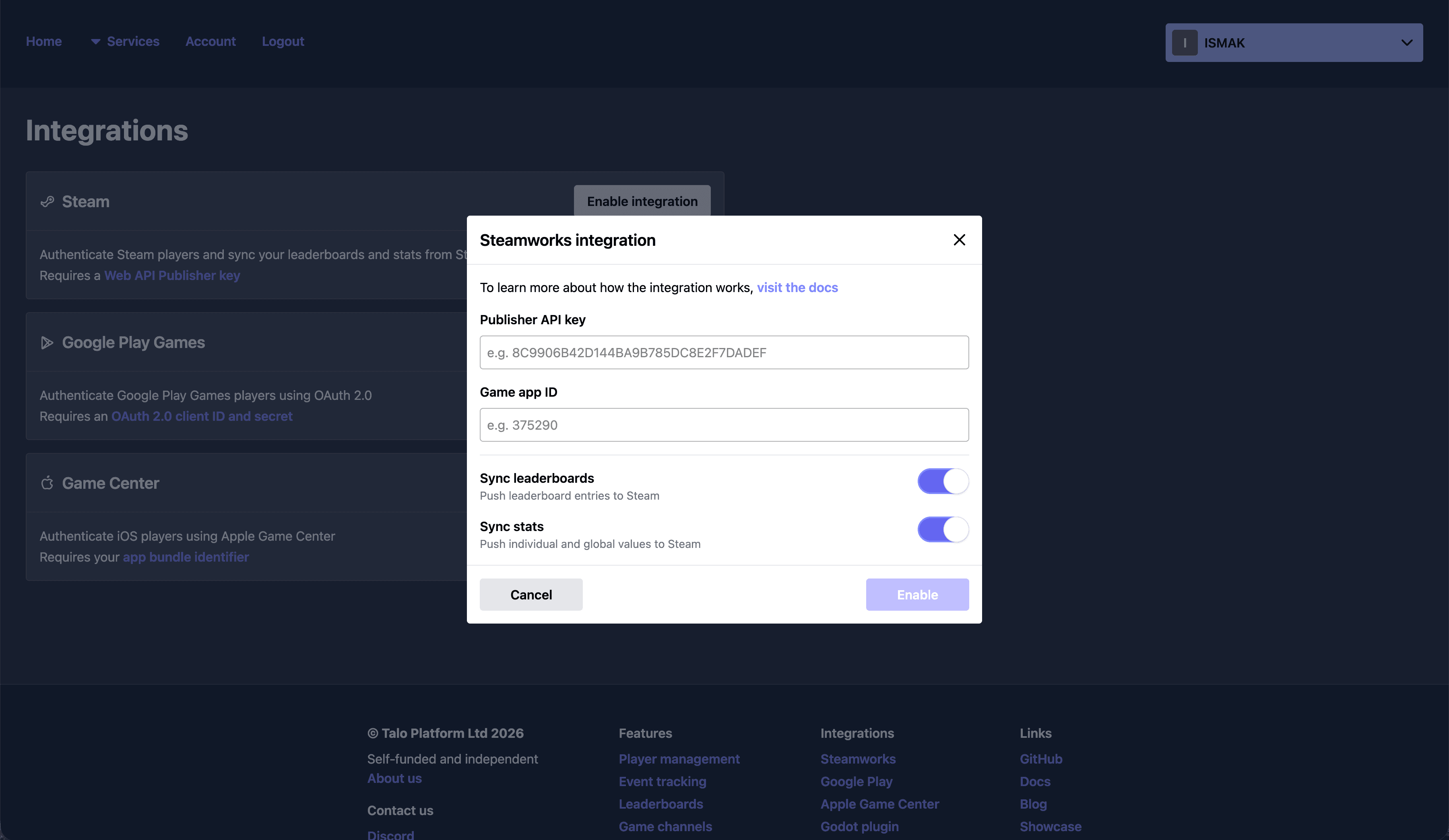
Enable the Talo Steamworks integration and your Talo stats stay in sync with their Steamworks counterparts. Whenever a player updates a stat, Talo keeps it synced against their Steam profile.
Enable this at any time. If you already have Steamworks stats, Talo can pull them in automatically and create their counterparts inside the dashboard.
Read the docs
To see more examples and learn how to get started, visit Talo's stat tracking docs.